
Action Tour Guide: Experiences
Action Tour Guide LLCTravel & Local
4.8342.00 Reviews
- Version
- 4.54
- Installs
- 50.00K
- Age Rating
- Everyone
Screenshots
Our Review of Action Tour Guide: Experiences
 Analysis by Appyee
I find Action Tour Guide: Experiences most useful when I want context for a place without having to join a scheduled group or keep checking a guidebook. It’s a travel and local discovery app from Action Tour Guide LLC, built around narrated routes and points of interest. I’d treat it as a companion for exploring, not as a substitute for a map, safe driving decisions, or advice from staff at a site.
Readability and finding your way
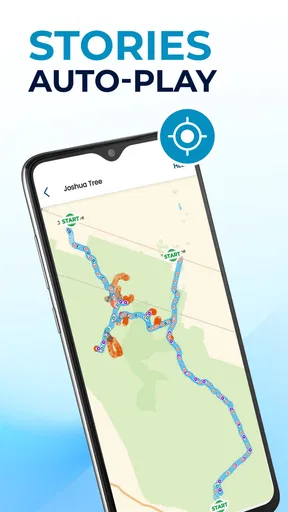
The app’s strongest idea is that a tour can unfold as I move through a destination. Its map gives me a way to see the route and nearby points of interest, while GPS can prompt the audio at relevant moments. That combination is easier to follow than trying to read paragraphs while walking, and it can help me connect a story to the actual landmark in front of me.
There is still a practical balance to strike. A map is helpful for orientation, but it is not a reason to stare at the phone while crossing a street, driving, or navigating uneven ground. I’d check the route before setting off, then keep the screen use brief and stop somewhere safe if I need to study it. The narration is the part that lets me look around instead of treating the phone as the main attraction.
For a first visit, I’d use the map to understand the shape of a route rather than assume I must follow every point in order. A family with limited time, for example, could choose a few stops and leave the rest for another day. That makes the tour more manageable, though the app should not be mistaken for a personal itinerary tailored to every visitor’s pace or interests.
Audio, pace, and different ways of exploring
Being able to pause, rewind, or skip is genuinely useful. I can stop the narration to listen to a companion, take in a view, or deal with a sudden change of plan, then resume when I’m ready. That flexibility is a better fit for independent exploring than a live tour that moves on with the group. The app also offers audio storytelling, which can make a long drive or walk feel more connected to the place than silence or a general playlist.
Audio-first guidance can suit people who find extended reading tiring, but it will not work equally well for everyone. Visitors who are deaf or hard of hearing may get less from a tour whose main appeal is narration. Anyone sensitive to spoken audio, or who prefers quiet, may also choose to use only the map or skip the app. I would not assume that every tour offers captions or another equivalent format.
For people with motor or sensory considerations, the useful question is whether the route and the moment suit them—not just whether the app is easy to tap. A traveler who has limited dexterity could prepare the tour and set audio controls before beginning, reducing the need to handle the phone while moving. Someone who gets overwhelmed by busy surroundings can pause the narration and take a break. These are sensible ways to adapt the experience, but they do not remove physical barriers at a destination.
Planning around signal, company, and access
Downloading a tour in advance is one of the most practical steps I’d take, especially before heading into a national park or another area where mobile service may be unreliable. Offline access can keep the tour available without depending on a live connection, but I’d still carry a separate navigation option and make sure the device has enough battery for the day. A guided story is helpful; it is not a replacement for basic trip preparation.
For a shared outing, the original experience describes syncing with friends or family so everyone can follow along. That can keep a group together without crowding around one speaker. In practice, I’d agree on a comfortable volume and a meeting point in case people separate, and I’d avoid headphones when awareness of traffic, trail conditions, or other visitors matters. Different hearing needs and preferences may also make a shared audio setup less convenient than it sounds.
Accessibility in the wider sense depends on the place as much as the app. A route that looks appealing on a map may include long distances, slopes, steps, traffic exposure, or limited places to rest. I’d check local site information and decide which stops are realistic for my group before relying on the tour’s sequence. The narration can add meaning to a visit, but it cannot make a physically difficult route accessible by itself.
What’s the Deal with Action Tour Guide?
So, here's the scoop: Action Tour Guide: Experiences is your personal tour guide in your pocket. You get to explore multiple destinations with guided audio tours that you can play at your own pace. It's like having a local friend who knows all the best stories!
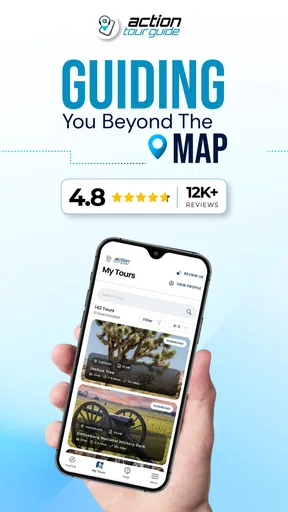
The app itself is pretty intuitive. You download the tour you’re interested in, pop in your headphones, and off you go! What I loved is that it uses GPS to trigger audio at the right moments, so you’re always getting the info you need exactly when you need it. No more flipping through guidebooks or staring at screens while you’re trying to take in the sights.
Exploring with Ease
One of my favorite things about the app is the variety of tours available. Whether you're cruising through the bustling streets of a city or exploring the serene landscapes of a national park, there's something for everyone. The content is rich and engaging, providing historical insights, fun facts, and local legends that really bring a place to life.
The audio quality is top-notch, which is a big plus. Nothing worse than trying to decipher garbled information while you’re out and about. The narrators have pleasant voices, and they keep things lively and interesting.
Flexibility and Convenience
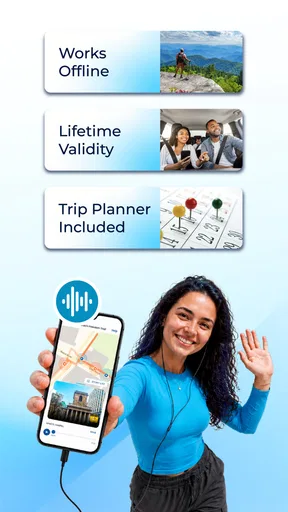
I also loved the flexibility. You can pause, rewind, or skip ahead—perfect for when you want to linger a little longer or if you're in a rush. Plus, once you've downloaded a tour, you can access it offline. This was a lifesaver in areas with spotty cell service.
The app is also super convenient for group tours. If you're traveling with friends or family, you can all sync up and enjoy the tour together. It’s a great way to ensure everyone’s on the same page without having to huddle around a single device.
Design and User Experience
The interface is clean and user-friendly. You won’t find yourself fumbling around trying to figure out what to do next, which is crucial when you're on the move. The app is regularly updated, ensuring smooth performance and up-to-date content.
Each tour comes with a neat little map that tracks your progress, showing you points of interest along your route. It’s like having a little adventure planned out for you, without the hassle of planning.
Inclusive fit and final thoughts
In the wider travel-app landscape, I’d put this between a conventional navigation app and a scheduled walking tour. A map app is better when I need the fastest route from A to B or detailed live directions; a human guide is better when I want conversation, questions answered on the spot, or help adapting a route in real time. This app’s advantage is the recorded storytelling and the freedom to stop or continue when it suits me.
A realistic use case is a day when I have a free afternoon in a city and no appetite for a rigid timetable. I can download a suitable tour before leaving, check the route, and listen to a section while walking between stops. If a café break takes longer than planned, I can pause; if the group is tired, we can skip ahead or call it a day. That freedom is valuable, but it also means I’m responsible for deciding what to see and how much walking is sensible.
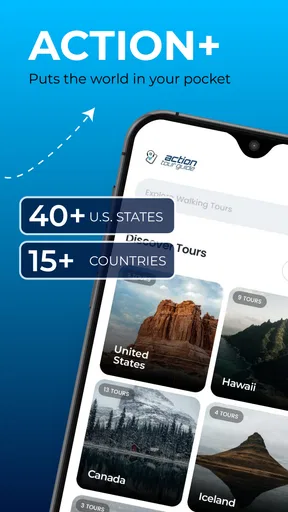
The catalog spans more than 200 tours, including national parks, Hawaii, scenic drives, city routes, and historic places. That breadth makes the app worth checking when I’m planning a trip across different kinds of destinations. It does not mean every location or visitor need will be covered, so I’d search for the specific place and read the tour details before building a day around it.
One small but useful planning habit is to download the tour while I’m on a reliable connection, then open it before leaving to make sure I have the right route in mind. I’d also bring a power bank on a long outing: GPS, audio, and map use can all make a phone more central to the day than I intended. For a scenic drive, I’d set things up before moving and have a passenger handle the phone; the driver should keep attention on the road rather than interact with the app.
Cost deserves a quick check before committing. The app is free to install, but it includes in-app purchases ranging from $0.49 to $199.99 per item, so I would not assume that every tour is included at no charge. I’d look at the particular tour’s purchase details before travel, especially if I’m choosing an option for several people. Its age rating is Everyone, but that does not tell me whether every story or walking route suits every child; I’d still choose based on the family’s interests and stamina.
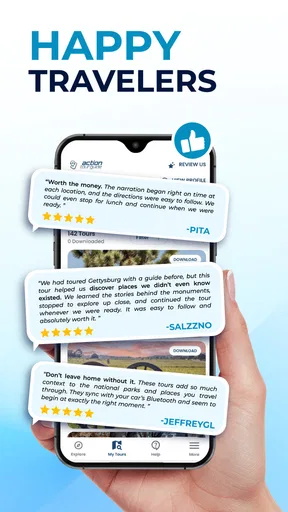
The app has a 4.8 average from around 1.3 thousand ratings, and it has passed 50 thousand installs. Those figures suggest it has found an audience, but they do not tell me whether a particular route matches my pace, mobility, or preferred storytelling style. The current version is 4.54, and it supports Android 9 or later; I’d check that my device meets the requirement before planning to depend on it during a trip.
I would skip it if I mainly need turn-by-turn navigation, want a live guide, or need guaranteed captions and accessible route details. I’d also choose a different approach if screen interaction or headphones would make the outing uncomfortable or unsafe. For those visitors, a printed route, a local visitor center, or a guide who can adapt in person may be a better fit. No single format serves every ability or travel situation.
Overall, I think Action Tour Guide: Experiences is a thoughtful option for independent travelers who want place-specific stories and can manage their own route. Its best qualities are the audio prompts, flexible pacing, and the ability to prepare for weak signal; its trade-offs are the need to plan ahead, check individual tour costs, and judge physical access independently. I’d recommend trying it when the destination and format suit you, while keeping a separate plan for navigation and accessibility.
Verdict
Strengths of Action Tour Guide: Experiences
- User-friendly interface for easy navigation.
- Wide variety of tours available worldwide.
- Offline access to tours saves data.
- High-quality audio guides enhance experience.
- Regularly updated with new content.
Limitations of Action Tour Guide: Experiences
- Limited free content available.
- In-app purchases can be costly.
- Some tours lack detailed information.
- Requires significant storage space.
- Occasional GPS inaccuracies.
Other Releases by Action Tour Guide LLC
View All
Acadia National Park GPS Tour
Travel & Local4.1
Similar Picks in This Category
View All
Google Maps
Google LLC3.4

Google Maps Go
Google LLC4.1

Booking.com: Hotels & Travel
Booking.com Hotels & Vacation Rentals4.8

Google Earth
Google LLC3.8

Skyscanner Flights Hotels Cars
Skyscanner Ltd4.8

trivago: Compare hotel prices
trivago N.V.4.4
Frequently Asked Questions
What is Action Tour Guide: Experiences, and how does it work?
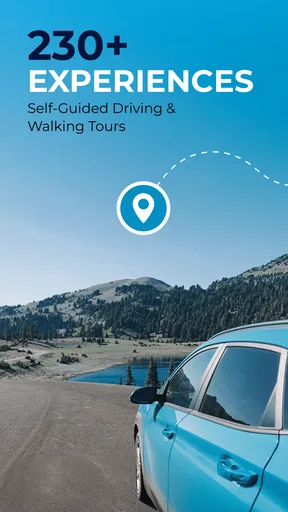
Action Tour Guide: Experiences is a mobile application that offers self-guided driving and walking tours to enhance your travel experience. Using GPS technology, the app provides location-based audio narrations and information about various landmarks and attractions. Simply download the tour of your choice, follow the map, and enjoy the guided experience at your own pace.
Is the Action Tour Guide app available for both Android and iOS devices?
Yes, Action Tour Guide is available for both Android and iOS platforms. You can download it from the Google Play Store for Android devices and the Apple App Store for iOS devices. Make sure your device meets the minimum operating system requirements for optimal performance.
Are the tours available offline, or do I need an internet connection?
Once you've downloaded a tour, it can be accessed offline, eliminating the need for a continuous internet connection. However, you will need an internet connection initially to download the tour and any updates. This feature is particularly useful in areas with limited or no data coverage.
What types of tours are offered by Action Tour Guide: Experiences?
Action Tour Guide offers a wide range of tours including historical, cultural, and scenic tours. Whether you're interested in city tours, national parks, or iconic landmarks, there's likely a tour that caters to your interests. The app regularly updates its offerings to include new tours and destinations.
Is there a cost to use the Action Tour Guide app and its tours?
While the app itself is free to download, individual tours may require a purchase. Prices vary depending on the tour's length and content. Some tours might be offered as part of bundles or promotions, and there are often free samples available to try before making a purchase.
